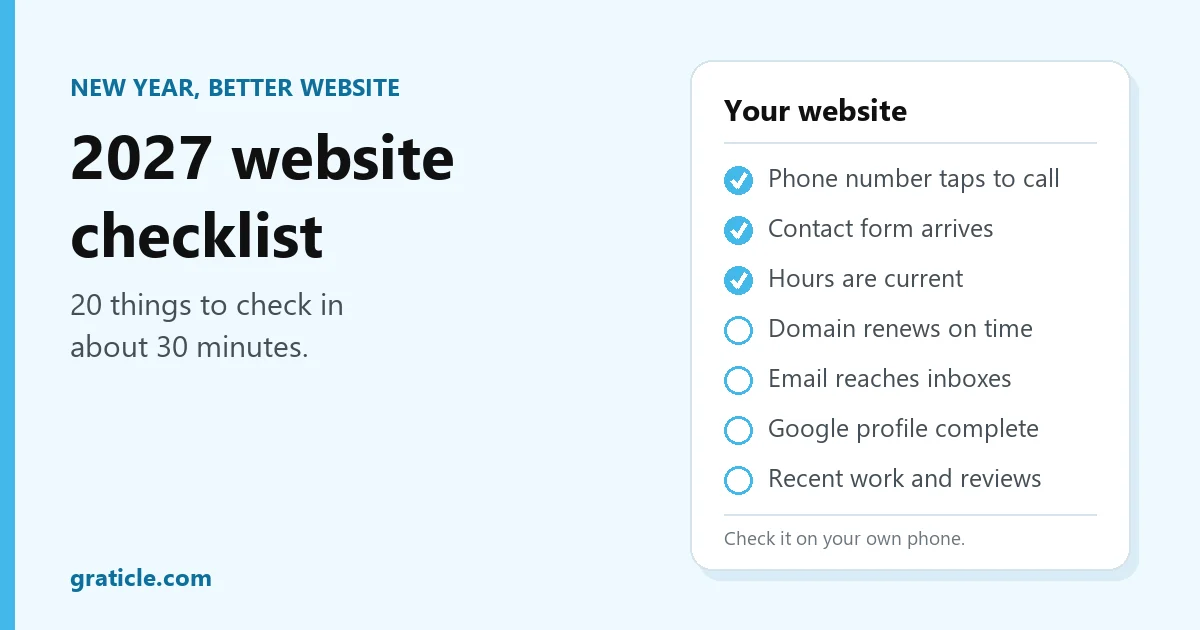
The new year is a good time to look at your website the way a customer does. Most problems that cost a small business calls are not design problems. They are a phone number that does not tap, a contact form that quietly stopped sending, holiday hours from last year or a domain about to expire.
This checklist takes about 30 minutes. Work through it on your own phone, not your office computer, because that is how most of your customers see you. Anything you cannot check off is a place to improve in 2027.
1. Basics That Cost You Calls
Your phone number taps to call
Open your website on your phone and tap the phone number. It should start a call. If it does nothing, or if the number is only inside an image, you are losing calls from the people most ready to buy.
Your contact form actually arrives
Fill out your own contact form and make sure the message lands in your inbox, not your spam folder. Forms break quietly after email changes, plugin updates or a new email provider. Check it again every few months.
Your hours are current everywhere
Update your regular and holiday hours on your website and on your Google Business Profile at the same time. When the two disagree, people trust neither, and some will drive to a closed door.
Your address and service area match Google
Your business name, address, phone number and the towns you serve should read the same on your website, your Google Business Profile and directories like Bing, Apple Maps and Yelp. Small differences make Google less sure about you.
Nothing looks out of date
Look for an old copyright year in the footer, last year’s specials, staff who left or an events page that stopped. An out-of-date detail makes people wonder whether you are still in business.
2. Security and Ownership
You know when your domain renews and who owns it
Your domain should be in your company’s name, with an email address you still use, and set to renew automatically. A lapsed domain takes your website and your email down at the same time. Our free domain check shows the expiration date, registrar and transfer lock in seconds.
Every page loads securely
Every page should load with https and a padlock, with no browser warnings. If some pages still load without it, fix that first: browsers warn visitors away from forms on insecure pages.
Updates and backups are happening
If your site runs on WordPress or another system, the software, theme and plugins need regular updates, and someone should keep backups you can restore. Ask whoever manages your site when the last update and the last backup happened. If nobody knows, that is your answer.
Old logins are gone
Remove website, hosting and domain logins for former employees and old vendors. Make sure at least two people at your business can get into each account, so one person leaving does not lock you out.
Your email is set up to reach inboxes
Records called SPF, DKIM and DMARC tell Gmail, Outlook and Yahoo that email from your domain is really from you. Since 2024 the largest email providers have required them from businesses that send a lot of email, and missing records are a common reason everyday business email lands in spam. Check yours with our free email security check.
3. Speed and Phones
It loads fast on a phone with cell service
Turn off Wi-Fi and open your site. If the main content takes more than a few seconds to show up, visitors leave before they see what you do. Oversized photos are the most common cause and one of the easiest fixes.
Nothing gets in the way
Pop-ups that cover the page, chat windows that block the phone button and cookie banners that fill the screen all cost you visitors on small screens. Keep only what earns its place.
It is easy to read and tap
Text should be readable without zooming, buttons big enough for a thumb and menus easy to open and close. Ask someone outside your business to find your phone number and your services on your site while you watch. Where they hesitate is what to fix.
4. Getting Found on Google
Your Google Business Profile is complete
Check your categories, services, service area, hours, photos and description. Add a few new photos and a post. For most local businesses the map results bring in more calls than the website itself. See how we handle Google Business Profile management.
You asked for reviews this year
Ask your last ten happy customers for a Google review, with a direct link that opens the review box. Our free review link tool makes one for you. Reply to every review, good or bad.
Each main service and town has its own page
One page that lists everything you do rarely ranks for any of it. A clear page for each main service, and for each town you most want to work in, gives Google a page to match to each search.
Google Search Console is set up
Search Console is free and shows which searches bring people to your site and which pages Google will not index. If nobody at your business can log in to it, set it up or ask your web team for access.
5. Content and Trust
Your photos are real
Swap stock photos for real pictures of your team, your work and your place of business. People hire people, and real photos build trust faster than anything you can write.
Your best recent work is on the site
Add two or three projects, results or customer stories from this year. A portfolio that stops in 2022 suggests the business did too.
Every page has one clear next step
Each page should end with one obvious action: call, request an estimate, book a visit or ask a question. If a visitor has to hunt for what to do next, most will not.
What to Fix First
Start with anything that stops a customer from reaching you: the phone number, the contact form, your hours and your domain. Then security. Then speed, then search. Most businesses can fix the first group in an afternoon.
If the list turned up more than you have time for, that is normal. Most owners would rather run their business than their website. That is why our clients have us host, secure and update their websites and make the changes they ask for, on one monthly plan with no long-term contract.
Questions People Ask
How often should I check my website?
Do a full check like this once a year, and a quick one every three months: test the contact form, tap the phone number, update your hours and look for anything out of date. If someone manages your site for you, ask for a short report on updates, backups and anything they fixed.
What should I update on my website for the new year?
Update your hours and holiday hours, remove last year’s specials and events, add recent projects and reviews, refresh your photos and make sure your copyright year and staff list are current. Then update your Google Business Profile to match.
Do I need a new website in 2027?
Not always. If your site loads fast, works well on phones, is secure and brings in calls, it may only need updates. A redesign makes sense when the site is slow, hard to change, not secure or not bringing in customers. A free website audit will tell you which.
How do I know if my website is secure?
Every page should load with https and no browser warnings, the software and plugins should be up to date, and backups should exist that someone can restore. Ask whoever manages your site when the last update and backup happened.