The phone goes quiet. You search for your business and the map pin is gone, or your profile shows a red notice you have never seen before. For a local business, a Google Business Profile is often the biggest source of calls, so losing it hurts fast.
Over the past year we have worked through several of these with business owners: a restricted profile that came back after an appeal, a profile switched off by Google’s automated review as “not eligible,” and a verification video that was rejected because the address is shared with another business. Here is what each status means, what usually causes it, how to appeal, and the mistakes that make it worse.
What the Status Means
- Suspended. You can no longer manage the profile, even if customers may still see it.
- Disabled. Google removed the profile from Maps and Search for a policy reason. This is the one that stops the calls.
- Restricted. Google limited the profile or specific content on it, such as edits, photos or reviews.
- Your Google account is restricted. Sometimes the problem is the account, not the profile. Then every profile that account manages is affected, and you appeal the account first on your Google My accounts page. The profile appeal comes after.
Google shows the exact decision, the date and the policy it is based on inside its appeals tool, so start there before you guess.
Common Causes
- An address Google does not accept. Virtual offices, rented mailboxes and PO boxes are not allowed. If you work at customers’ homes or job sites, your address should usually be hidden and replaced with a service area. Our guide to showing up on Google Maps without a storefront covers how to set that up.
- Extra words in the business name. Adding a town or service, like “Smith Plumbing Longview Water Heaters,” breaks the rules. Use your real name, the way it appears on your sign and license.
- Big changes all at once. Changing the name, address and category in the same week can send a profile back for review.
- A shared address. Two businesses at one address is allowed, but Google needs to see that yours is a separate, real business with its own sign.
- Duplicate profiles. An old profile someone made years ago, or a second one made to “start over.”
- Nothing at all. Automated reviews make mistakes. A real, eligible business can still be flagged. The appeal is how you fix that.
How to Appeal, Step by Step
- Do not create a new profile. It does not fix anything, it starts you over with zero reviews, and Google tells owners not to do it.
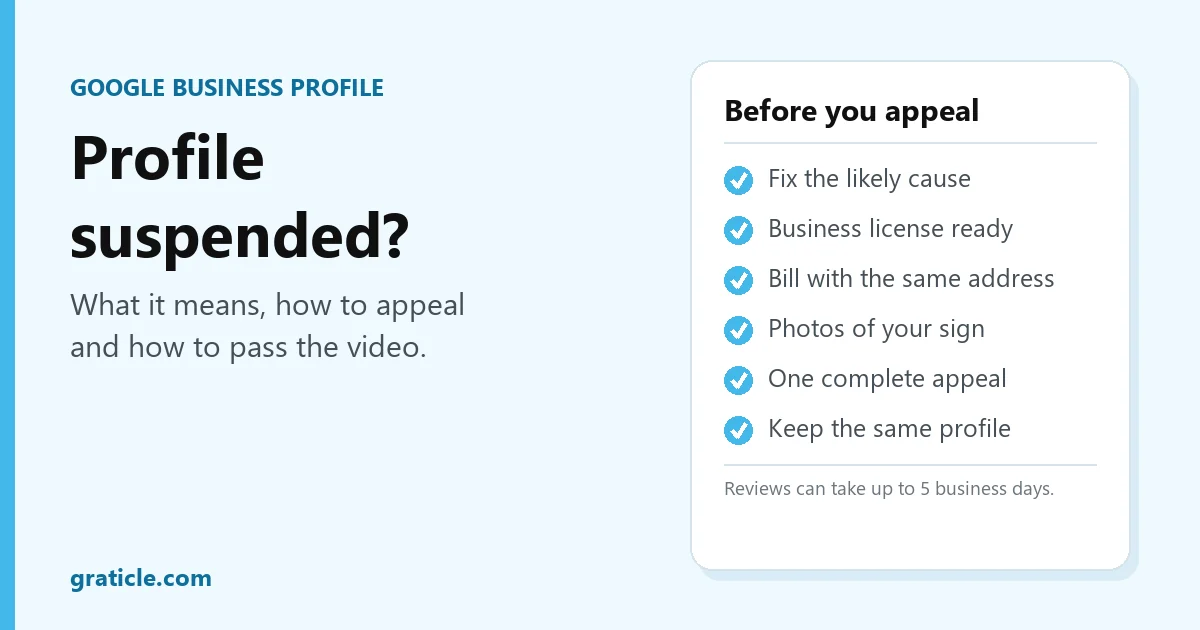
- Fix the likely cause first. Correct the name, hide the address if you serve customers at their location, and remove duplicates.
- Gather proof before you open the form. A business license or registration, and a utility bill or other official document with your business name and address. The name and address must match the profile exactly. Photos of your permanent sign, storefront or branded vehicle help too. Have the files ready, because the upload step can time out.
- Open Google’s Business Profile appeals tool. Sign in with the Google account that owns the profile, choose the profile and the decision, write a short, plain explanation, and attach your proof. You can only appeal each decision once, so make it complete.
- Wait, and do not file again. Google says reviews can take up to five business days. Repeat appeals for the same issue do not speed it up.
- Read the result. If the appeal is not approved, Google may offer one more review. If the decision says it cannot be appealed, it is final.
Google’s own instructions are on its help page, Fix suspended or disabled profiles.
Passing a Verification Video
Google often asks for a short video to verify a new profile or to restore one. Videos fail for small, fixable reasons. Before you press record, plan a single path from the street to your work.
- Record live, in one take. No editing and no pre-recorded clips. At least 30 seconds, and a couple of minutes is plenty.
- Show where you are. Street signs, the building number and nearby businesses, so Google can match the spot on the map.
- Show your name on something permanent. A sign, door lettering or a window decal that matches the name on your profile. A paper sign taped up for the video does not count.
- Show that you run it. Unlock the door, open the register, walk into the shop or storage area, or unlock your branded work truck and show your tools.
- Service businesses without a shop: show your branded vehicle, your equipment and you doing the work.
- Leave out other people’s faces and anything private, like bank or tax numbers.
One owner’s video was rejected because the address is shared with another business. When that happens, the next video has to make it obvious which entrance, sign and space are yours. Google’s rejection lists what was missing, and the new video should include everything from the first one plus the missing piece.
Who Should Own Your Profile
Many problems start with access: an employee who left was the only owner, or a password was shared and nobody remembers who changed what.
- Your business should be the primary owner, using a Google account the business controls.
- Invite your web person as a user from the profile’s People and access settings. Never share your Google password.
- Managers can edit the profile. Only owners can add or remove people. If your web person needs to bring in a teammate to help, they need owner access, which you can grant and take away at any time.
Our free Do I own my website? check covers your Google accounts as well as your domain and website.
How to Avoid It Next Time
- Make big changes one at a time, a few weeks apart.
- Keep your name exactly as it appears on your sign and license.
- Keep your hours current, including holidays, so customers are not sent to a closed door.
- Look at your profile once a month. Anyone can suggest edits, and Google sometimes accepts them.
- Earn reviews the honest way. Paid or fake reviews are a fast route to a suspension. Our guide to getting more reviews without being pushy covers what works.
Questions People Ask
How long does a Google Business Profile appeal take?
Google says appeal reviews can take up to five business days. Some take longer. Filing the same appeal again does not speed it up.
Should I just make a new profile?
No. A new profile starts over with no reviews and does not fix the cause. Google tells owners not to create a new profile for the same business while one is suspended.
Why was my profile suspended when I did nothing wrong?
Automated reviews make mistakes, and common triggers include a shared address, an address Google does not accept, extra words in the business name or several big edits at once. Fix anything that applies, then appeal with proof of your business name and address.
Do I need a storefront to have a Google Business Profile?
No. Businesses that serve customers at their homes or job sites can have a profile with the address hidden and a service area listed instead.