Late this summer, someone opened a free email account with a name close to ours and started emailing our clients. The messages looked official. One said “Domain renewal and technical fixes needed.” Another warned of a “critical WordPress security and PHP compliance update.” Each had a deadline and a link. None of them came from us.
Several clients forwarded the emails and asked, “Is this you?” That was exactly the right move. Fake notices like these go out to small business owners every day, because the subject lines sound like the routine website chores you expect to hear about. Here is how to tell a real notice from a fake one, what to do if you already clicked, and what we did when someone used our name.
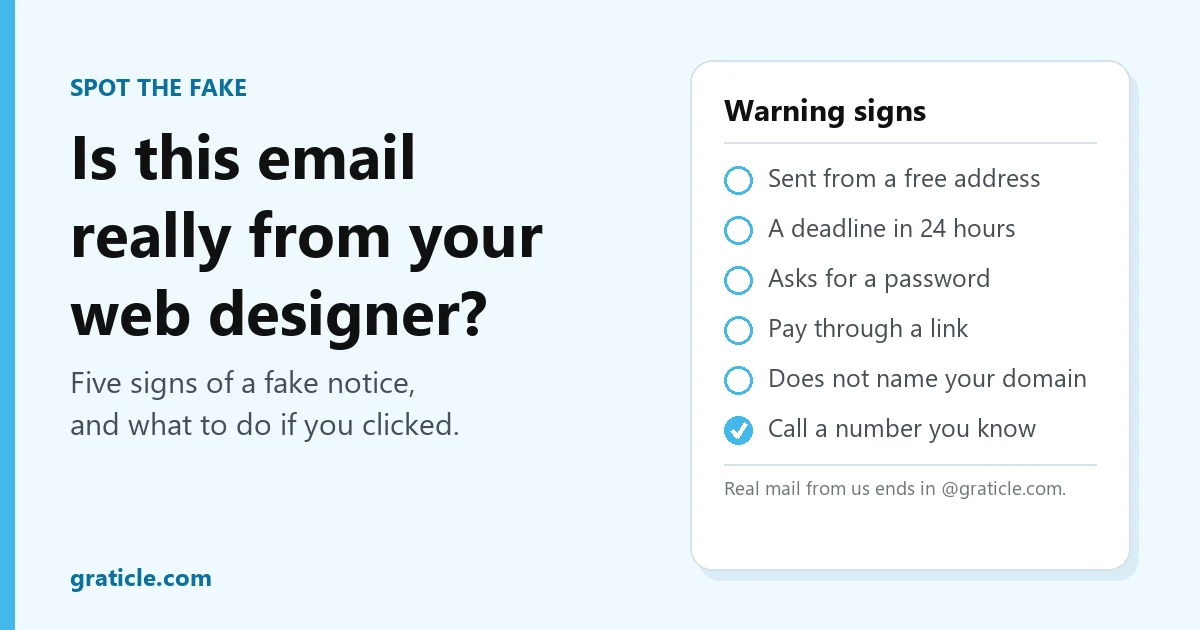
Five Signs an Email Is Not From Your Web Designer
1. The address is a free email account
Look past the name at the top and check the actual address. On a phone, tap the sender’s name to see it. A company that manages websites writes from its own domain. “Graticle Support” at a gmail.com address is not us. Real email from us only comes from an address ending in @graticle.com.
2. It sets a tight deadline
“Your domain expires in 24 hours.” “Your website will be suspended today.” Real providers warn you weeks ahead and send reminders. Panic is the point of a fake: it wants you to act before you think.
3. It wants a click, a password or a payment
The email asks you to sign in through a link, reply with a password, or pay right now through a link, a gift card or a wire. A good web company never asks for your password by email.
4. It does not know your details
A real notice names your domain, your plan and your renewal date, and it matches work you already know about. A fake says “your website” or “your domain” and leaves the rest vague, because the sender does not know.
5. A reply goes somewhere else
Press reply without sending and look at the address in the To line. If it is different from the sender, or from a different company, delete the message.
The simple rule: if an email asks for money, a password or a click and you were not expecting it, call the company at a number you already have. Do not use the number or link in the email.
The Fake Notices We See Most
- Domain renewal letters from a company you never used. Some arrive in the mail and look like an invoice. The fine print usually says it is not a bill. Paying it moves your domain to a different company, often at a much higher price. Throw it away. Your domain renews with the company it is registered with now.
- “Your SSL certificate is expiring” warnings. Most websites now get free security certificates that renew on their own. If someone manages your site, this is their job, and they will not email you a scary deadline about it.
- “Security and PHP compliance” updates with a fee. Keeping WordPress and its server software current is real and important work. But no authority emails business owners demanding a compliance fee, and your web person does not need you to click anything to do it.
- “Was this you?” password alerts. These are sometimes real. Do not use the link in the alert. Open the site yourself, sign in and check the recent activity. If someone manages your accounts, ask them: we change passwords on a schedule, so an alert may be us, and we are always glad to confirm.
- “You have been sent a document.” A shared file from someone you know, asking you to sign in to view it. Often their email account was taken over. Call or text them before you open it.
What a Real Notice Looks Like
- It comes from the company’s own domain, the same one you have heard from before.
- It names your domain or account and matches what you know.
- It gives you days or weeks, not hours.
- It never asks for your password.
- You can call the company and a person confirms it.
For our clients: our invoices come through QuickBooks and match work you already know about. If an invoice or notice from “us” surprises you, call (360) 450-3711 before you pay or click anything.
If You Already Clicked
Do not be embarrassed. These emails are built to fool busy people, and moving fast matters more than anything else.
- Clicked but typed nothing? Close the page. Usually no harm is done, but run your computer’s security scan to be safe.
- Typed a password? Change it right away on the real site, and anywhere else you used the same password. Turn on two-step sign-in, so a password alone is not enough to get in.
- Check your email account. Look in the Sent folder for messages you did not send. Check for forwarding rules or filters you did not create, which are a common trick for reading your mail quietly. Make sure the recovery phone and email are yours.
- Paid? Call your bank or card company now and dispute the charge.
- Tell your web person. They can check that your website, domain and email settings were not changed.
- Report it. In Gmail, use “Report phishing” from the three-dot menu. You can also report fraud to the Federal Trade Commission at reportfraud.ftc.gov.
What We Did When Someone Used Our Name
When the fake emails started, we treated it like any other security problem.
- We asked for the full message. In Gmail, “Show original” reveals where a message really came from. That is the detail a provider needs to act.
- We reported the sending account to Google.
- We warned every client. A short, plain email described what the fakes looked like and what to do with them.
- We added one line to every email we send: real email from Graticle only comes from @graticle.com.
- We answered every “Is this you?” No question like that is ever a bother.
The lesson for any business owner: the best defense against a fake notice is a provider you can actually reach. If you cannot call your web company and get an answer, every scary email becomes a guessing game. If that sounds familiar, read Who owns your website? 6 things to check.
Questions People Ask
How do I see who really sent an email?
Tap or hover over the sender’s name to see the full address. In Gmail on a computer, open the message, choose the three-dot menu and then Show original to see where it was really sent from.
Is a domain renewal letter in the mail real?
Only if it comes from the company your domain is already registered with. You can look up your domain at lookup.icann.org to see who that is. Letters from any other company are trying to move your domain, usually at a higher price.
Will my web designer ever ask for my password by email?
A good one will not. Most accounts, such as your domain, Google Business Profile and Search Console, let you invite your web person as a user, so nobody has to share a password.
I clicked a link in a fake email. Is my website hacked?
Usually not. Clicking alone rarely changes your website. If you typed a password, change it and turn on two-step sign-in, then ask your web person to check your website, domain and email settings.